Hosted in South Africa
Ship to South Africa.
Push your repo. Forge builds it, gives it Postgres, Redis, storage, sign-in and email, and serves it from a South African data centre, sandboxed, metered, and billed in rand.
version: 1
app: shop
resources:
  postgres: {name: shop-db}
  redis:    {name: shop-cache}
  kratos:   {name: shop-auth}
bindings:
  - service: web
    env:
      DATABASE_URL: postgres.shop-db.url
      REDIS_URL:    redis.shop-cache.url
      EMAIL_KEY:    email.api_key
Every new client should not create another infrastructure account.
Netlify here, Supabase there, storage somewhere else, monitoring on another card. It works when you have two clients. It gets messy when every launch adds a new bill, login, renewal, and failure point.
What you pay today, the old way: a separate bill per client, per vendor, every month.
Postgres
pgvector included, pooled, backed up every night.
Redis & object storage
A dedicated cache and S3-compatible buckets per app.
Sign-in
Passkeys and passwords on your own domain, no auth vendor.
Email
Transactional mail from your verified domain, with send limits.
Preview per pull request
Every PR gets its own URL, torn down when it closes.
LLM gateway
One key for OpenAI, Anthropic and Gemini, metered per app.
Cron & one-click rollback
Scheduled jobs in forge.yaml; roll back to the last image in seconds.
Sandboxed by default
Every tenant runs under gVisor, with its own network and limits.
Three steps. No console.
Or drive it all from the CLI, the API, or your AI assistant over MCP.
Connect a repo
GitHub or GitLab, public or private. Docker Compose, a Dockerfile, or plain source. Forge works out the build.
Declare what it needs
A forge.yaml names the databases, caches, auth and email. Forge provisions them and wires the env vars.
Push
Every push builds, health-checks and swaps with zero downtime. A bad deploy never takes the old one down.
One control plane
Web dashboard
Deploy, route, back up, inspect logs, and watch health across every client site from one place.
pgforgeCLIEverything the dashboard does, plus log streaming and scripted provisioning.
REST API
Every capability under
/api/*with JWT or scopedpgf_API keys. If the UI can do it,curlcan too.MCP server
An embedded endpoint at
/mcplets approved AI tools (Claude, Cursor, and others) operate Forge with the same auth.
The dashboard, as it is.
Real screens from a Forge install running a demo workspace. Nothing mocked up.
-
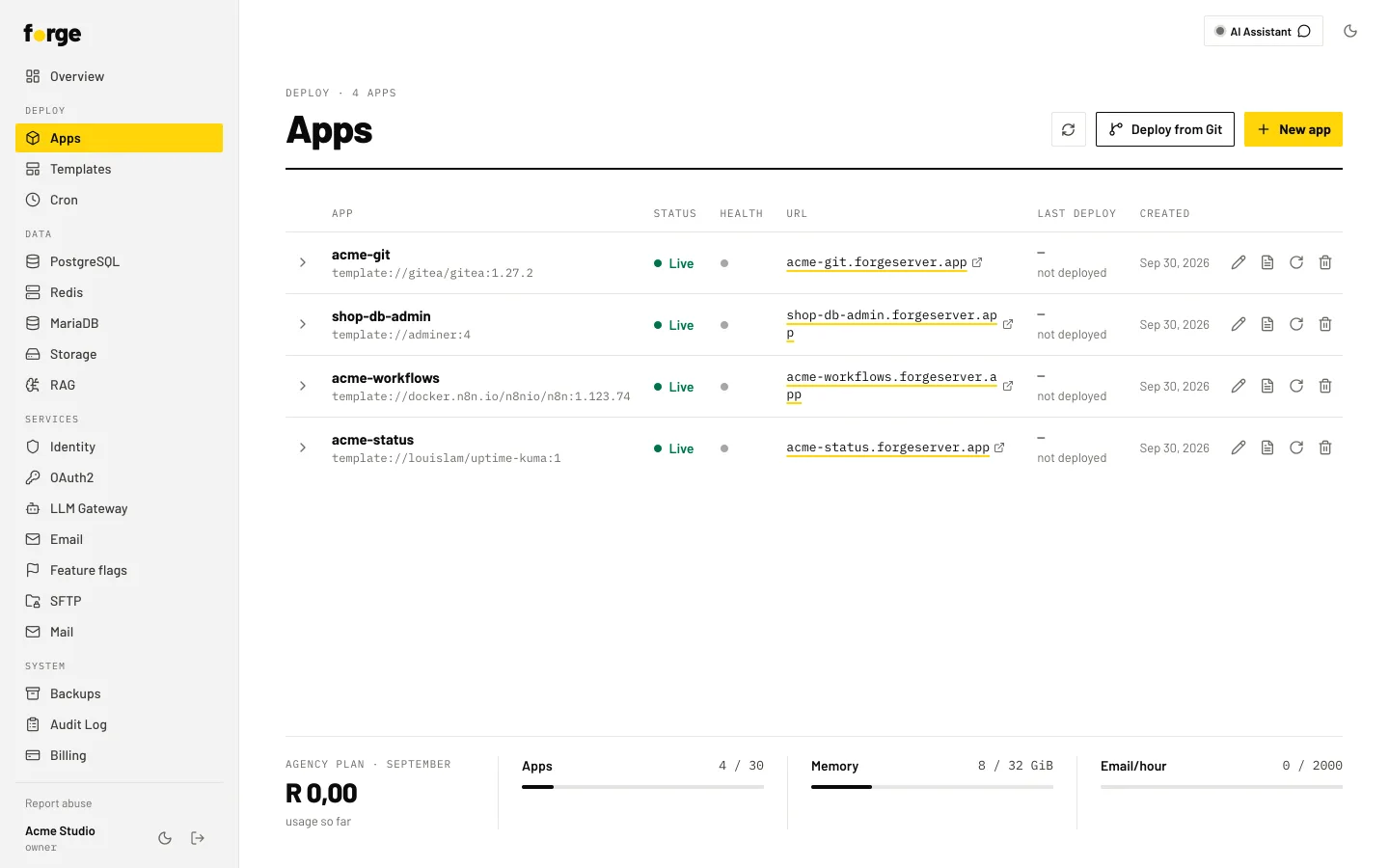
Apps. Every app on one screen, with its status and URL.
-
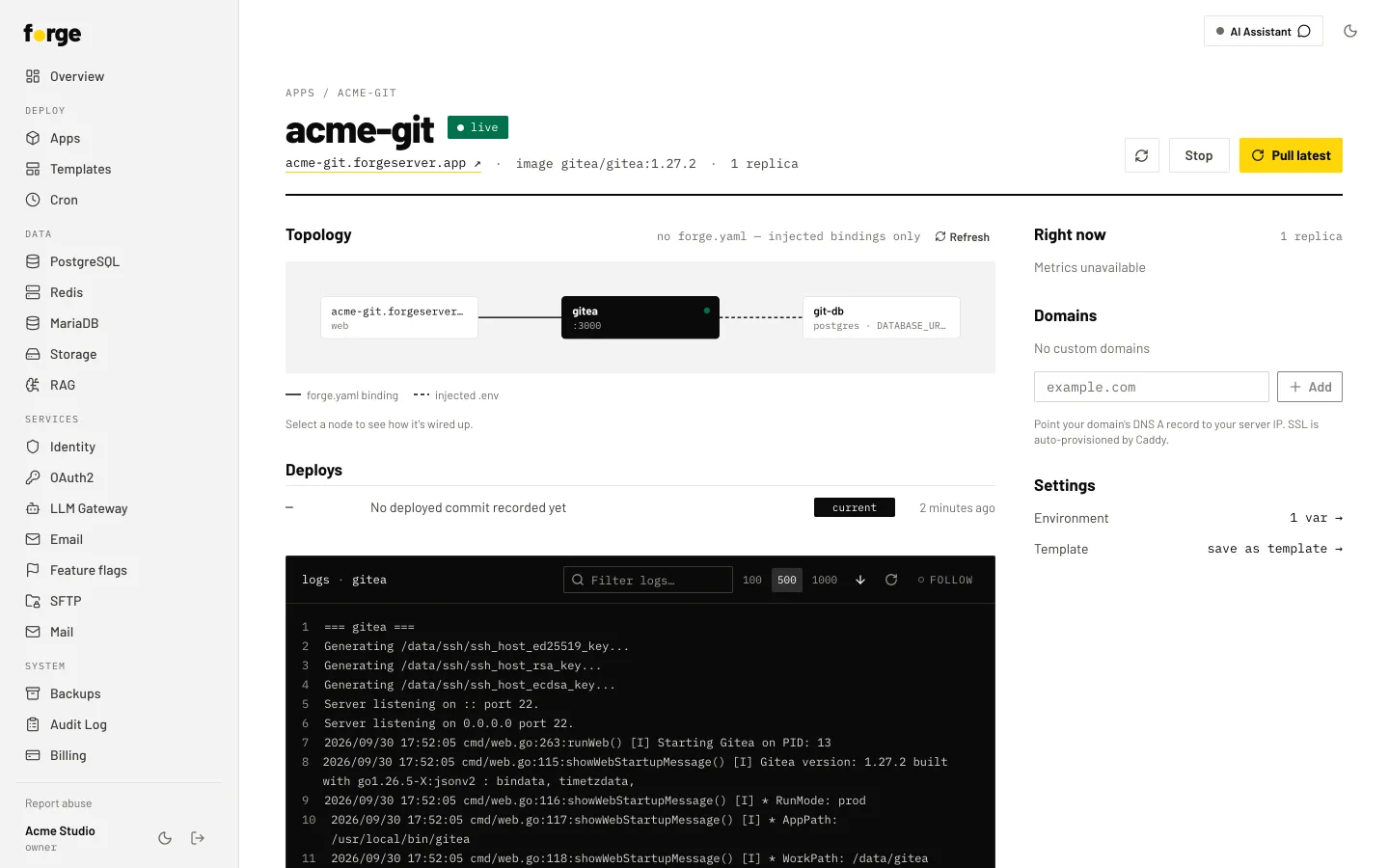
One app. Topology, deploys and live logs on one page.
-
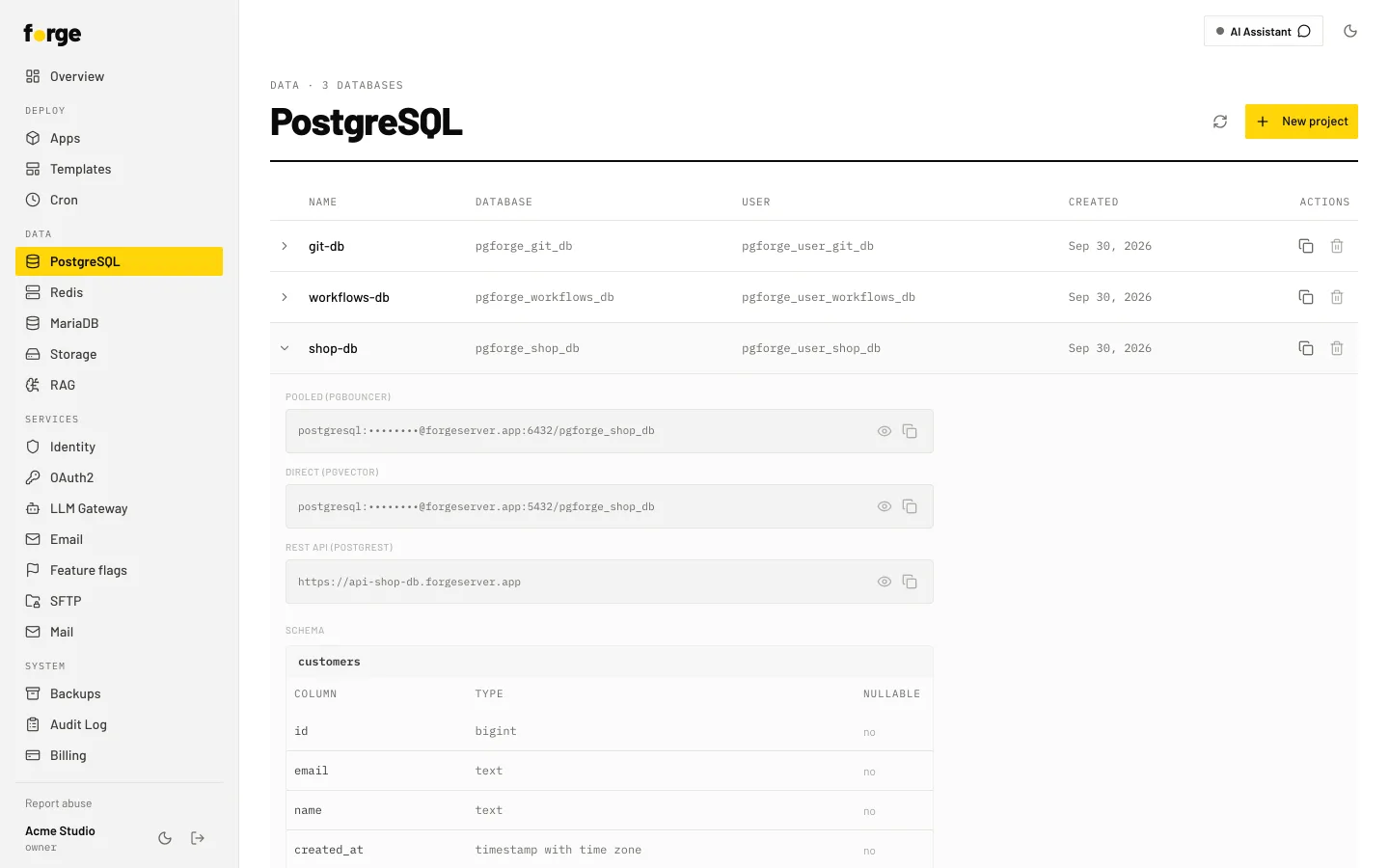
Postgres. Connection strings with the password masked, and the schema.
Your data stays in South Africa.
No transatlantic round trip for your users, no offshore processing to explain to your clients.
- Hosting
- Servers in a South African data centre. Nightly backups kept in-country.
- POPIA
- An operator agreement and sub-processor list you can hand to your client's lawyer.
- Billing
- Prices in rand, paid through PayFast. Change or cancel any time.
- Support
- People who answer in your time zone, from the team that runs the platform.
Free to self-host. The full platform, unlimited sites.
Forge is free to self-host. Bring a server, run one command, and you have the whole stack: deploys, databases, SSL, backups, the dashboard. No license key, no feature gates.
curl -fsSL https://raw.githubusercontent.com/fariebee/forge-deploy/main/scripts/deploy.sh | sudo bashRather not run servers? We also host and manage Forge for you: dedicated hardware, monitoring, migration done for you. Paid support contracts are available for self-hosters who need guaranteed response times.
Talk to usSelf-hosting guide · Deploy bundle on GitHub. Free to use and run; see the license note.
A smaller surface area, with clear operational ownership.
Operational proof
Forge is already routing production client traffic, with the same managed stack described on this page.
Moving client infrastructure onto one managed server is a trust decision. Forge earns that trust by being specific about what runs, where the data lives, and how you get out if you ever need to.
- Clear operating model.One managed install carries the sites, databases, storage, routing, and recovery path.
- Production proof.Forge is already hosting live production sites and their databases.
- Data residency.Managed Forge runs in a South African data centre, with backups kept in-country. Self-host to put it anywhere you like.
- Portable data.Your databases and backups remain yours to export, keep, and move.
- Managed or self-hosted.Run everything on our managed server, or host the same Forge stack on your own hardware. Paid support contracts are available if you need guaranteed response times.
Bring the current bills. We'll do the math.
A short call is enough to map your clients, current tools, and migration risk. If Forge does not make operational or financial sense, you will know quickly.
Prefer email? Write to brian@beesworx.co.za directly.